
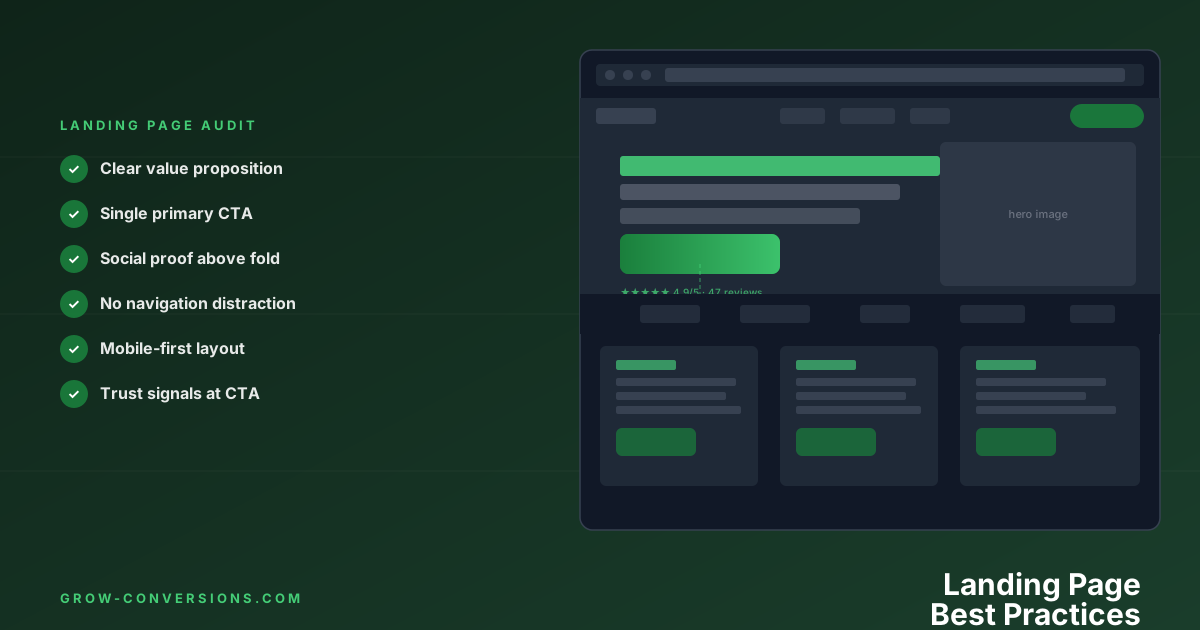
A landing page converts when one offer, one audience and one action line up: a headline that keeps the promise the ad made, proof placed next to the decision, a single call to action, and no navigation offering a way out. The 18 rules below are ordered by how much each one typically moves the number.
A landing page with a 2% conversion rate and one with an 8% conversion rate can look nearly identical to the untrained eye. The difference is in the details — details that compound into a 4x revenue multiplier from the same traffic.
After hundreds of A/B tests across ecommerce, SaaS, and lead generation, these are the 18 rules that separate top-converting landing pages from everything else.
What Makes a Landing Page Different from a Normal Website Page?
A landing page has one job: convert a specific visitor to a specific action.
Unlike a general website page, a landing page typically:
- Has a single, clearly defined conversion goal
- Removes navigation (no links leading away)
- Matches the message of the ad or email that sent the visitor
- Is built around the psychology of the specific audience it’s targeting
When these characteristics are in place, landing page conversion rates average 5–15% — versus 1–3% for general website pages. The focused intent is the difference.
Messaging & Value Proposition
1. Match Your Headline to the Traffic Source
The single biggest driver of landing page conversion is message match — the alignment between what your ad or email says and what your landing page headline says.
If your Google ad says “30-Day Free CRM Trial — No Credit Card,” your landing page headline should confirm exactly that. Not a generic “The CRM for Growing Businesses.”
When visitors don’t immediately see what they came for, they leave. That’s a high bounce rate, and message mismatch is the #1 cause for paid traffic.
Test this: Create separate landing page variants for your top 3 traffic sources, each with a headline reflecting that source’s message. Expect 20–40% CVR improvements over a generic landing page.
2. Lead with the Outcome, Not the Feature
Your hero headline should answer: what does the visitor get from this?
❌ “Advanced CRM software with AI-powered automation” ✅ “Close 40% more deals without adding headcount”
Features describe what your product is. Outcomes describe what your customer gets. Lead with the outcome, then support it with features.
The formula: [Specific desirable outcome] + [Timeframe or qualifier] + [Objection neutraliser]
Example: “Double your email list in 60 days — without running a single ad.”
3. Answer Three Questions Above the Fold
Within 5 seconds of arriving, every visitor should be able to answer:
- What is this?
- Who is it for?
- Why should I care?
Test your page with the 5-second test: show it to someone unfamiliar with your business for exactly 5 seconds, then ask them to describe what the company does. If they can’t answer all three questions, your above-fold needs work.
4. Make Your Unique Selling Proposition Specific and Defensible
“The best software for your business” converts poorly. “The only CRM with built-in call coaching, used by 14,000 sales teams” converts well.
Vague superiority claims get ignored because they’re unverifiable. Specific, defensible claims create genuine differentiation. They also signal confidence — you’re willing to be measured against a clear standard.
Specificity signals authenticity. “127% average CVR increase” is more persuasive than “dramatically improved conversion rates.” Specific numbers trigger a different cognitive response than round numbers or vague claims.
Structure & Design
5. Use a Single Conversion Goal
Every element on a landing page should serve one purpose: moving the visitor toward one specific action.
Navigation menus are conversion killers on landing pages — they’re exits. Outbound links send paid traffic away. Multiple CTAs create decision paralysis: when everything competes for attention, nothing gets clicked.
Remove the navigation. Kill the footer links. Ditch the “See our other products” sections. One page, one goal. This alone can increase conversion rates 20–30% for paid traffic landing pages.
6. Place Your CTA Above the Fold — on Every Device
Your primary call-to-action must be visible without scrolling on desktop, tablet, and mobile. Not just desktop.
This is not the same as claiming people won’t scroll — they do. Nielsen Norman Group’s eye-tracking research, covering 120 participants and more than 130,000 eye fixations, found 57% of viewing time goes above the fold and 43% below it, with 74% inside the first two screenfuls. The fold still holds the largest share of attention, which is why the CTA belongs there — but the page below it is read, so it is worth writing properly.
Pull out your phone right now. Is your CTA visible? Most business owners check their own sites on desktop and forget that 60%+ of their traffic arrives on a device where the fold is half the height.
Multiple CTAs throughout the page are fine — in fact, recommended for long pages. But the first one must be immediately visible.
7. Use Directional Cues to Guide Attention
Visitors don’t read pages sequentially — they scan. Directional cues guide their eyes toward what matters:
- Visual arrows pointing toward the CTA
- Face direction: photographs of people who are looking at your CTA (eye-tracking studies show visitors follow where photographed subjects look)
- White space that isolates the CTA button from surrounding content
- Colour contrast: your CTA button colour should appear nowhere else on the page
The goal is to make the next action visually obvious, even for someone scanning the page in 3 seconds.
8. Optimise for Mobile First — Not Mobile Too
More than 60% of web traffic is mobile. Yet most landing pages are designed on a desktop and then “made responsive” as an afterthought. This produces mobile pages that technically work but convert poorly.
Design mobile first:
- CTA buttons: minimum 48px height, easy to tap with a thumb
- Text: minimum 16px to avoid zoom on iOS
- Forms: use appropriate keyboard types (
email,tel,number) - Images: WebP format, explicit dimensions, lazy loading for below-fold
- Sticky CTA button: consider a fixed bottom CTA on mobile for long pages
When you design mobile first, the desktop version almost always benefits too — you strip unnecessary content and focus on what actually matters.
9. Speed Is a Conversion Factor You Can Measure
Every 1-second delay in page load reduces conversions by approximately 7% (Google/Deloitte research). On mobile, 53% of users abandon pages that take more than 3 seconds to load.
Check your landing pages with Google PageSpeed Insights. Score below 90 on mobile? That score is costing you conversions every day.
Speed is worth treating as a conversion lever rather than a technical chore. In the Deloitte and Google study “Milliseconds Make Millions”, covering 37 European and American brand sites and over 30 million sessions, a 0.1-second improvement in load metrics was associated with a 9.1% lift in progression to add-to-basket for retail and a 21.6% lift in reaching form submission for lead generation. Treat that as direction rather than a forecast — it is a correlational study on other people’s sites, not a promise about yours.
Quick wins for landing page speed:
- Serve images in WebP format (30–50% smaller than PNG/JPEG)
- Set explicit width and height attributes on images (prevents layout shift)
- Remove unused JavaScript and CSS
- Use a CDN for static assets
- Self-host fonts instead of loading from Google Fonts
Social Proof & Trust
10. Place Social Proof Near the CTA
Social proof works best when it’s positioned at the moment of decision — not buried at the bottom of the page where nobody reads it.
Place your strongest social proof directly adjacent to your primary CTA:
- Star ratings and review count near the button
- A short, specific testimonial quote beside the form
- Customer logos above or below the CTA section
Here’s the psychology: when visitors are about to commit, they instinctively look for reassurance from others. Put that reassurance exactly where they’re looking for it.
11. Use Specific, Believable Social Proof
“Great product! Highly recommend.” is nearly worthless. Nobody believes it, and it doesn’t address any specific concern.
Specific, outcome-focused testimonials convert:
❌ “This is the best CRM we’ve used. Very happy with it.”
✅ “We migrated from Salesforce in two days and closed our first deal in week one. We’ve processed £2.3M in pipeline with Pipe since March.” — James K., VP Sales, Construct Group
The difference:
- Specific outcome (£2.3M pipeline)
- Specific timeframe (since March)
- Named source with job title and company
- Specific comparison point (migrated from Salesforce)
Real names convert better than initials. Companies convert better than anonymised descriptions. Numbers convert better than adjectives.
12. Show the Humans Behind the Business
Faceless corporate pages convert worse than pages where real people are visible. A photo, name, and brief bio of a founder or team member transfers trust in a way that polished graphics can’t match.
This is especially true for:
- Service businesses (visitors are hiring a person, not a product)
- High-ticket purchases (trust matters more at higher price points)
- B2B (decision makers want to know who they’re working with)
Forms & Friction
13. Eliminate Every Unnecessary Form Field
Every form field you add reduces conversion rate. Research consistently shows reducing from 11 fields to 4 can double submission rate.
The question to ask for every field: “Would we lose the sale if we didn’t collect this?”
Phone number for a software trial: no. Company size before a product demo: questionable. Birth date for a newsletter: definitely no.
What you typically actually need:
- Ecommerce checkout: Name, email, shipping address, payment details
- Lead gen: Name, email, one qualifying question (maximum)
- Free trial: Email only, if possible
Collect additional information post-conversion, when the relationship is established and trust is higher.
14. Use Multi-Step Forms for Complex Conversions
If you must collect more information, break it into steps. A progress bar showing “Step 1 of 3” dramatically reduces abandonment because visitors feel committed once they’ve started.
The psychological principle here is the foot-in-the-door effect and sunk cost bias: people don’t want to abandon progress they’ve already made. Multi-step forms with progress indicators typically convert 30–86% better than single-page forms of equivalent length.
Best practice: put the easiest, lowest-commitment questions first (name, email) and the harder questions (budget, company size) in later steps.
Copy & CTA
15. Test Your CTA Copy Relentlessly
CTA button copy is one of the highest-leverage elements on any page. Small changes drive significant differences.
Principles for high-converting CTAs:
- First-person outperforms second-person: “Start My Trial” vs. “Start Your Trial” — first-person averages 90% lift in multiple studies
- Reinforce the value: “Get My Free Report” beats “Download”
- Reduce perceived friction: “Try Free for 14 Days” beats “Sign Up”
- Use specificity: “Send Me the 37-Point Audit Checklist” beats “Download Checklist”
- Real urgency works; fake urgency doesn’t: “Claim My Spot — 4 Left” when it’s real drives action; when it’s fake, it destroys trust when discovered
The test that moves the needle most often: switch from second-person to first-person copy. Run it — most businesses haven’t.
16. Address Objections Proactively in the Copy
Every visitor arrives with objections. If your page doesn’t address them, the visitor leaves to “think about it” — and never comes back.
Common objections by category:
Trust: “Is this legit?” → Testimonials, media logos, money-back guarantee, trust badges
Risk: “What if it doesn’t work for me?” → Free trial, case studies, specific ROI examples, refund policy
Complexity: “Is this hard to set up?” → “Up and running in 10 minutes” + video demo + step-by-step onboarding description
Relevance: “Is this for a business like mine?” → Industry-specific testimonials, company size filter, “who this is for” section
Price: “Is this worth it?” → ROI calculator, comparison to alternatives, cost-of-not-acting framing
FAQ sections are the most efficient way to address multiple objections — they handle concerns in a format users trust, and they perform well in Google for long-tail question searches.
Testing & Iteration
17. Build Your Testing Program Into the Launch Plan
The biggest landing page mistake: treating launch as the finish line.
Your first landing page is version 1.0. It’s built on assumptions about your audience. A/B testing converts those assumptions into knowledge.
What to set up before launch:
- Heatmap tool (Microsoft Clarity is free) — see where users click
- Session recordings — watch real visitor behaviour
- Exit survey — ask “What stopped you from signing up today?”
- Conversion goal tracking in GA4
What to test first (in order of typical impact):
- Headline — biggest leverage, easiest to test
- CTA copy — easy to test, high impact
- Hero image/video — visual above-fold experience
- Social proof type and placement
- Form length
For a full guide on running tests that produce reliable results, read our A/B testing best practices guide.
18. Build Different Landing Pages for Different Traffic Sources
One landing page for all traffic is a compromise. The ideal is a landing page tailored to the specific message, intent, and awareness level of each traffic source:
- Paid search: High intent, specific query. Match the exact language of the keyword.
- Paid social: Interruption-based, lower initial intent. Lead with a hook that earns attention.
- Email list: Already warm, knows your brand. Skip the introduction, go straight to the offer.
- Retargeting: Has seen your brand before. Address the specific objection that stopped them last time.
Even two variants — “awareness traffic” and “high-intent traffic” — will outperform a single generic page.
What Conversion Rate Should a Landing Page Aim For?
| Landing Page Type | Average CVR | Top 25% |
|---|---|---|
| Paid search (lead gen) | 4–8% | 12%+ |
| Email list (warm traffic) | 10–25% | 35%+ |
| Retargeting | 5–15% | 25%+ |
| Webinar registration | 20–35% | 50%+ |
| Free tool / resource | 8–20% | 30%+ |
| Ecommerce product page | 2–4% | 6%+ |
| SaaS free trial | 3–8% | 15%+ |
If you’re significantly below these benchmarks, you’ve got structural issues with messaging, friction, or trust — not minor tweaks to make. For a full look at benchmarks by industry, see: Conversion Rate Benchmarks by Industry: 2026 Data.
Common Landing Page Mistakes (and How to Fix Them)
Mistake: Multiple competing CTAs Your page has “Book a Demo”, “Start Free Trial”, “Download the Guide”, and “Contact Us.” Decision paralysis. Pick one primary CTA and make secondary actions visually subordinate.
Mistake: Generic testimonials “Works great! Would recommend.” Change every testimonial to include a specific outcome, a real name, and ideally a company. Remove ones that can’t be made specific.
Mistake: Google Optimize for A/B testing Google Optimize was shut down in September 2023. If you see guides recommending it, they’re outdated. Use VWO, AB Tasty, or Convert instead. See our full CRO tools guide for recommendations by budget.
Mistake: Loading time over 3 seconds on mobile Check PageSpeed Insights for every landing page. If LCP (Largest Contentful Paint) is above 2.5 seconds, you have a conversion problem that no copy test will fix.
Mistake: Sending all traffic to the homepage Your homepage is a compromise for every type of visitor. A dedicated landing page tailored to a specific audience, offer, and traffic source will almost always outconvert a homepage for paid traffic.
Frequently Asked Questions
What should a landing page include?
At minimum: a benefit-focused headline, clear value proposition, social proof (testimonials, logos, or stats), a single primary CTA, and answers to the most common objections. High-traffic pages should also include video or imagery showing the product/outcome, FAQ section, and trust badges.
How long should a landing page be?
As long as it needs to be to overcome objections and build enough confidence to convert. Low-trust, high-ticket, or complex offers need more content. Simple, familiar, or low-risk offers can be short. As a rule: high traffic + low confidence = longer page. The best answer is always what A/B tests show — test long vs. short.
Should landing pages have navigation?
No, for paid traffic. Navigation links are exits. Remove the header nav and minimize the footer. Keep your logo (not linked) and a CTA. Exception: if you’re sending organic search traffic to a landing page, Google sometimes expects navigational elements — test both.
What’s the difference between a landing page and a sales page?
“Landing page” typically refers to any dedicated page built around a single conversion action. “Sales page” usually refers to longer-form pages (1,000–5,000+ words) designed to sell a high-ticket product or course, covering benefits, objections, proof, and offer in detail. Both follow the same principles — the difference is depth.
Need a landing page that actually converts your traffic? See our landing page design service → or book a free audit and we’ll review your current page.