
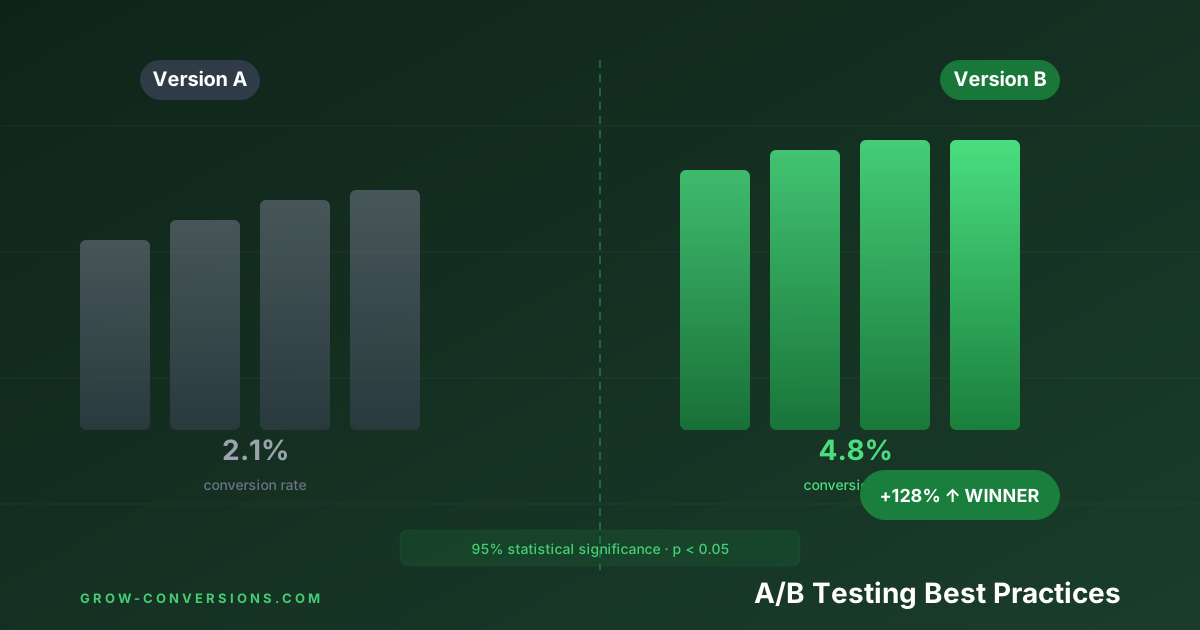
A/B testing best practices reduce to five rules: fix the sample size before you start, run for whole business weeks, test one hypothesis at a time, never stop at first significance, and check the winner again after launch. Most tests break at least one of them, which is why most “wins” don’t survive contact with production.
I’ve run over 800 A/B tests. About 70% of them didn’t produce a statistically significant winner. Of the 30% that did, roughly a third were false positives — changes that “won” in the test but produced zero lasting lift when implemented.
That ratio is not unusual, and it is not a reflection on the people writing the hypotheses. Microsoft’s Experimentation Platform reported that among well-designed experiments built to move a specific key metric, only about one-third actually moved it — roughly a third came out flat and a third made the metric worse. Plan your roadmap around that hit rate rather than around the assumption that good ideas win.
That’s not failure. That’s what honest A/B testing looks like.
The businesses that get real, compounding results from A/B testing aren’t the ones who win more tests. They’re the ones who run tests correctly — so their wins are real, their losses are informative, and their learnings stack into a genuine competitive advantage over time.
This guide covers every best practice you need to run tests that actually mean something.
Before diving into best practices, understand the failure modes. They’re more common than anyone in the CRO industry likes to admit:
Underpowered tests: Not enough traffic or conversions to detect a real difference. The test reaches “significance” through noise, not signal.
Early stopping (the peeking problem): Looking at results partway through and stopping when you see a winner. This dramatically inflates your false positive rate — from 5% to 26% if you check results 5 times during a test.
Multiple metric problem: Testing against 10 different metrics simultaneously. With 10 metrics, there’s a 40% chance at least one will show a “significant” result by random chance alone.
Segment confusion: A test that shows +5% overall might show +20% on mobile and −8% on desktop. Implementing site-wide destroys desktop performance.
Novelty effect: When users first see a new variant, curiosity drives up engagement. After 2–3 weeks, engagement normalises. Tests stopped early during the novelty window produce false winners.
No documented hypothesis: Testing changes without a clear hypothesis means wins can’t be learned from or replicated. You win a single battle but don’t build any strategic understanding.
The result of all these failures? Teams run tests for months, implement changes, see no revenue impact, and conclude “A/B testing doesn’t work for us.” It doesn’t work because it wasn’t done correctly.
| Control (A) | Variant (B) | |
|---|---|---|
| What it is | Current version of the page | Modified version with one change |
| Traffic split | 50% | 50% |
| Goal | Baseline measurement | Test if the change improves CVR |
| Result | Winner declared when significance + sample size reached |
This is the most ignored best practice in A/B testing — and the one that would prevent the most wasted effort.
Before running any test, use a sample size calculator to determine exactly how many visitors you need per variant.
Required inputs:
- Baseline conversion rate: Your current CVR (e.g., 3.0%)
- Minimum Detectable Effect (MDE): The smallest lift you want to be able to detect (e.g., 10% relative = 3.3%)
- Statistical power: Typically 80% — you accept a 20% chance of missing a real effect
- Significance level (alpha): Typically 5% — you accept a 5% chance of a false positive
A common mistake is setting MDE too low because you want to catch small improvements. But if you’re at 3% CVR and you set MDE at 5% relative (0.15pp lift), you might need 80,000+ visitors per variant. If your page gets 10,000 visitors per month, that’s a 16-month test. Not practical.
Rule of thumb: If your hypothesis is grounded in real user research, you should be expecting a meaningful lift. Set MDE at 15–20% relative minimum. If your test can only succeed with a 3% relative lift, you’re testing the wrong thing.
Free tools: Optimizely’s sample size calculator, Evan Miller’s A/B testing calculator, or VWO’s built-in calculator.
Running a valid A/B test requires preparation before the test starts. Most failed tests are broken at setup — not at analysis.
This is the hardest discipline in A/B testing. Once a test is running, don’t look at results until you’ve hit your predetermined sample size.
Here’s why that matters. Conversion rates fluctuate naturally day-to-day. On day 4 of a test, your variant might be “winning” at 95% confidence. By day 14, it’s at 60%. By day 21, it’s at 72%.
If you checked on day 4 and stopped, you’d implement based on noise, not signal. This is called the peeking problem.
The math is uncomfortable: if you check results 5 times during a test with a 5% alpha, your actual false positive rate is 26%, not 5%. One in four tests you declare winners will be wrong.
The fix: Before launching, decide:
- What is the minimum sample size? (from your calculator)
- What is the minimum duration? (at least 2 business cycles)
- When will you next look? (only when both are met)
Set a calendar reminder and don’t touch the dashboard until that date.
Best Practice #3: Run Tests for Complete Business Cycles
Even if you hit your sample size in 5 days, run the test for at least 2 full business cycles — typically 14 days minimum.
Why? Conversion behavior varies by day of week. Monday shoppers behave differently from Saturday shoppers. SaaS users who arrive via paid ads on Tuesdays convert differently from users who arrive organically on weekends.
If your test runs Monday through Friday and wins, you’ve missed the weekend audience entirely. That’s 2 days of weekly traffic — potentially your highest-converting days — not represented in your data.
For businesses with significant seasonal patterns (retail before Christmas, tax software in April), account for seasonal effects too. A test run in December and another in February may produce different results for reasons that have nothing to do with your change.
Minimum duration rules:
- Standard: 14 days (two full weeks, captures weekly patterns)
- Seasonal business: Run across comparable periods or extend to 4+ weeks
- High-traffic pages: Can sometimes be shortened to 7 days if sample size is reached quickly, but 14 days is still safer
Best Practice #4: Test One Variable at a Time
The classic rule: change one thing per A/B test so you know what caused the result.
If you change the headline, hero image, CTA copy, and button colour simultaneously and the variant wins, you don’t know which change drove the win. You can’t learn from it. You can’t replicate the insight elsewhere.
The exception: challenger vs. champion testing
Sometimes you genuinely need to test a radically different page — new layout, new messaging architecture, new offer framing. This is a “challenger vs. champion” test, and it’s legitimate.
When the challenger wins, you then run follow-up tests isolating individual elements of the winning challenger to understand which specific changes drove the lift. You win the battle (better conversion rate) and then mine it for strategic insight.
The rule isn’t about being restrictive — it’s about learning. When a test teaches you something generalizable about your audience, that insight is worth more than any single CVR lift.
Best Practice #5: Segment Your Results Every Time
A flat “B wins by 12%” result is the beginning of analysis, not the end.
Always cut your test results by:
Device type: Mobile users and desktop users often respond oppositely to the same change. A new form design that reduces desktop friction might be unusable on mobile. Implementing a “winner” site-wide without checking device segments is one of the most expensive mistakes in CRO — and I’ve seen it wipe out months of gains.
Traffic source: Visitors from paid search arrive with high intent and specific expectations. Organic visitors are more exploratory. Email subscribers already know your brand. These audiences have different needs, different anxiety levels, and different triggers for conversion.
New vs. returning visitors: Returning visitors have already overcome the initial trust barrier. What reassures a new visitor — detailed social proof, a money-back guarantee — may be irrelevant friction for a returning buyer. A headline that wins for new visitors may underperform for returning ones.
User journey stage: Where someone is in their buying journey changes what they need. A first-time visitor needs to understand your value proposition. A visitor on their third session, who has read your pricing page twice, needs a reason to commit today.
If you don’t segment, you might implement a change that loses on mobile (60% of your traffic) because it won overall on a desktop minority. Segmented analysis prevents this.
Best Practice #6: Define One Primary Success Metric
Before launching a test, declare one metric that determines the winner. Not five. One.
Why? With five metrics, there’s a high probability one will show a “significant” result by chance — even if your variant made no real difference. This is called the multiple comparisons problem.
Primary metric examples:
- Checkout completion rate (ecommerce)
- Form submission rate (lead gen)
- Free trial activations (SaaS)
- Click-through to product page (category page test)
Secondary metrics (monitor but don’t use to declare a winner):
- Revenue per visitor (noisy — high variance)
- Time on page, scroll depth (engagement proxies)
- Bounce rate (can be misleading)
If your primary metric shows no significant difference but a secondary metric looks interesting, you’ve got a new hypothesis — not a winner. Run another test specifically targeting that secondary metric as the primary goal.
Best Practice #7: Account for the Novelty Effect
When users first encounter a new design, curiosity drives inflated engagement. Click rates go up. Time-on-page increases. But that effect fades within 1–3 weeks as users habituate.
Stop a test during the novelty window and you’ll declare a winner that has no lasting effect.
Signs you’re measuring novelty, not improvement:
- The variant wins big in week one, then the gap narrows significantly in week two
- Engagement metrics (scroll depth, time on page) improve but conversion rate doesn’t
- Returning visitors are driving most of the lift
The fix: Run tests for at least two full business cycles. If a variant shows a big win in week one that narrows in week two, extend the test to week three to see whether the lift stabilizes or disappears entirely.
Best Practice #8: Test Throughout the Full Funnel
Most teams over-index on homepage and hero section tests, while the biggest conversion leaks are often deeper in the funnel.
Map your conversion funnel and measure drop-off at each step. The biggest percentage drop — not the first step — is where you start.
Typical funnel for ecommerce:
| Step | Visits | Drop-off |
|---|---|---|
| Homepage | 10,000 | — |
| Category page | 4,500 | 55% |
| Product page | 2,800 | 38% |
| Cart | 700 | 75% |
| Checkout start | 420 | 40% |
| Purchase | 210 | 50% |
In this example, the cart-to-checkout step (75% drop-off) is the biggest leak, not the homepage. Optimizing the homepage while that cart abandonment rate sits at 75% is the wrong priority entirely — the checkout experience is where the money is.
For more on optimizing the checkout funnel specifically, read our cart abandonment recovery guide.
Best Practice #9: Document Everything in a Test Log
After 800+ tests, the most valuable thing I’ve built isn’t a conversion rate — it’s a documented library of what works for specific audiences.
Every test should be documented with:
- Hypothesis: What did you observe? What did you predict?
- Dates and traffic split: When did it run? How was traffic divided?
- Results: CVR per variant, significance level, sample size per variant
- Verdict: Winner, loser, or inconclusive — by what margin
- Learnings: What does this tell you about your audience? What would you test next?
- Implementation status: Was the winner implemented? When?
After 50+ tests, your log becomes a searchable database of audience insights. You stop making the same mistakes. You start recognizing patterns. Hypotheses come faster because you understand what your specific audience actually responds to.
This is the moat that makes CRO compound. Two companies in the same space, same traffic, same testing tool — the one with 200 documented tests will consistently outperform the one with 30 undocumented ones. It’s not close.
What Should You Test First?
If you’re building a test backlog, prioritize in this order:
Highest impact, easier to test:
- Headline / value proposition — The biggest lever on any page
- Primary CTA copy — “Start My Trial” vs. “Try Free for 14 Days”
- Hero section layout — What’s above the fold on your highest-traffic pages
- Social proof placement — Where and how you present proof
- Form length and field order — Fewer fields, better sequence
Higher complexity, higher potential impact: 6. Pricing page structure — Plan names, feature comparison, anchor pricing 7. Checkout flow — Number of steps, guest checkout, payment options 8. Product page layout — Image placement, description length, CTA proximity 9. Offer structure — Guarantee terms, bundle options, free trial length 10. Mobile-specific experience — Separate optimization for mobile users
Always prioritize by traffic × conversion impact. A 10% lift on a page with 50,000 monthly visitors is worth 10x more than the same lift on a 5,000-visitor page.
A/B Testing vs. Multivariate Testing
A/B testing (also called split testing): Two versions of a page or element — original (A) vs. challenger (B). Simple, clean, requires less traffic to reach significance.
Multivariate testing (MVT): Multiple elements tested simultaneously — e.g., headline × CTA copy × hero image = 8 possible combinations. Reveals how elements interact, but requires dramatically more traffic to reach significance.
When to use MVT: Only when you have very high traffic, you’ve already established a hypothesis about element interactions (not just “let’s try everything”), and you have an MVT tool that handles the statistics correctly.
For most businesses, A/B testing is the right approach 90%+ of the time. MVT sounds sophisticated but rarely pays off unless traffic is very high and you’re genuinely trying to understand interaction effects between elements.
Statistical Approaches: Frequentist vs. Bayesian
Most A/B testing tools use frequentist statistics. Some use Bayesian. Here’s what that difference actually means in practice:
Frequentist (traditional): “The probability of seeing this result if the null hypothesis (no difference) were true is less than 5%.” This is p < 0.05, or 95% confidence. You’re controlling the false positive rate.
Bayesian: “Given the data, there’s an X% probability that B is better than A.” More intuitive to interpret. And it handles sequential testing (peeking) better than frequentist approaches by design.
In practice, both work when used correctly. The bigger issue isn’t which approach you use — it’s whether you respect the process. A frequentist test stopped early is worse than a Bayesian test run with proper stopping rules.
If you use VWO, they offer Bayesian testing as an option. Convert uses Bayesian by default. Both are valid choices.
Common A/B Testing Myths Debunked
Myth: “Our test won at 95% confidence, so it’s definitely a real effect.”
95% confidence means a 5% chance of a false positive. Run 20 tests at 95% confidence and you’d expect one false positive by chance alone. With peeking and multiple metrics layered on top, that rate climbs much higher. Confidence is a threshold, not a guarantee.
Myth: “We should test everything all the time.”
Untargeted testing — changing things without research-backed hypotheses — produces wins that can’t be learned from or replicated. Quality of hypotheses matters more than quantity of tests. Every time.
Myth: “A 50/50 traffic split is always best.”
For standard A/B tests, 50/50 is optimal. But if you’re testing a high-risk variant — a very different page that might dramatically hurt conversion — consider 90/10. Expose the risky variant to only 10% of traffic until it shows early promise.
Myth: “We don’t have enough traffic to A/B test.”
Low-traffic businesses can still do CRO — through qualitative research, expert heuristic analysis, and sequential testing. The limitation isn’t “can’t optimize,” it’s “can’t use A/B tests as the primary method.” For specific tactics, read our CRO audit checklist.
Which A/B Testing Tool Should You Choose?
The tool matters less than the process — but here’s a quick guide:
| Budget | Tool | Best For |
|---|---|---|
| Free | Google Optimize is dead — use Optimizely Free (very limited) | Can’t recommend a free option seriously |
| £100–300/mo | VWO Growth | Serious testing programs, best all-in-one |
| £100–300/mo | AB Tasty | Good alternative to VWO |
| £300+/mo | Convert | Privacy-focused, great for agencies |
| Custom/enterprise | Optimizely Full Stack | Large-scale, developer-heavy experimentation |
For a detailed breakdown of every major CRO tool, including heatmap and analytics tools, read: Best CRO Tools in 2026: Honest Review.
Frequently Asked Questions
How many tests should I run at the same time?
As many as you can run without overlapping audiences on the same pages. Running two tests simultaneously on the same page creates interaction effects that contaminate both results. Use your testing tool’s mutual exclusion feature to ensure test audiences don’t overlap.
What’s a good win rate for A/B tests?
For hypothesis-driven testing based on user research, 25–35% is typical. If you’re winning 80% of tests, your hypotheses are too conservative — you’re testing obvious changes, not exploring meaningful optimization space. If you’re winning less than 15%, your hypotheses need more grounding in real user research.
How do I handle tests during seasonal periods?
Be cautious running tests during high-traffic anomalies like Black Friday or the holiday season. Unusual traffic mixes and heightened purchase intent can produce results that don’t hold during normal periods. Either pause tests during these windows or make sure your results account for seasonal bias.
Should I implement changes even before full significance?
No. Pre-significance implementation is one of the most common mistakes I see. You’re accepting a higher false positive rate and potentially shipping a change that makes things worse. If you’re in a hurry, go after a higher-risk, higher-reward change — don’t lower your statistical bar.
Further reading:
- How Long Should You Run an A/B Test? — sample size, runtime rules, and why “it hit 95% significance” isn’t enough
- 7 A/B Testing Mistakes That Invalidate Your Results — the structural errors that silently produce false winners
Running a rigorous testing program and want support? Our A/B testing service covers hypothesis development, test design, and full segment analysis — not just tool access. Book a free strategy call →